Last Updated on October 13, 2026 by Clark Omholt
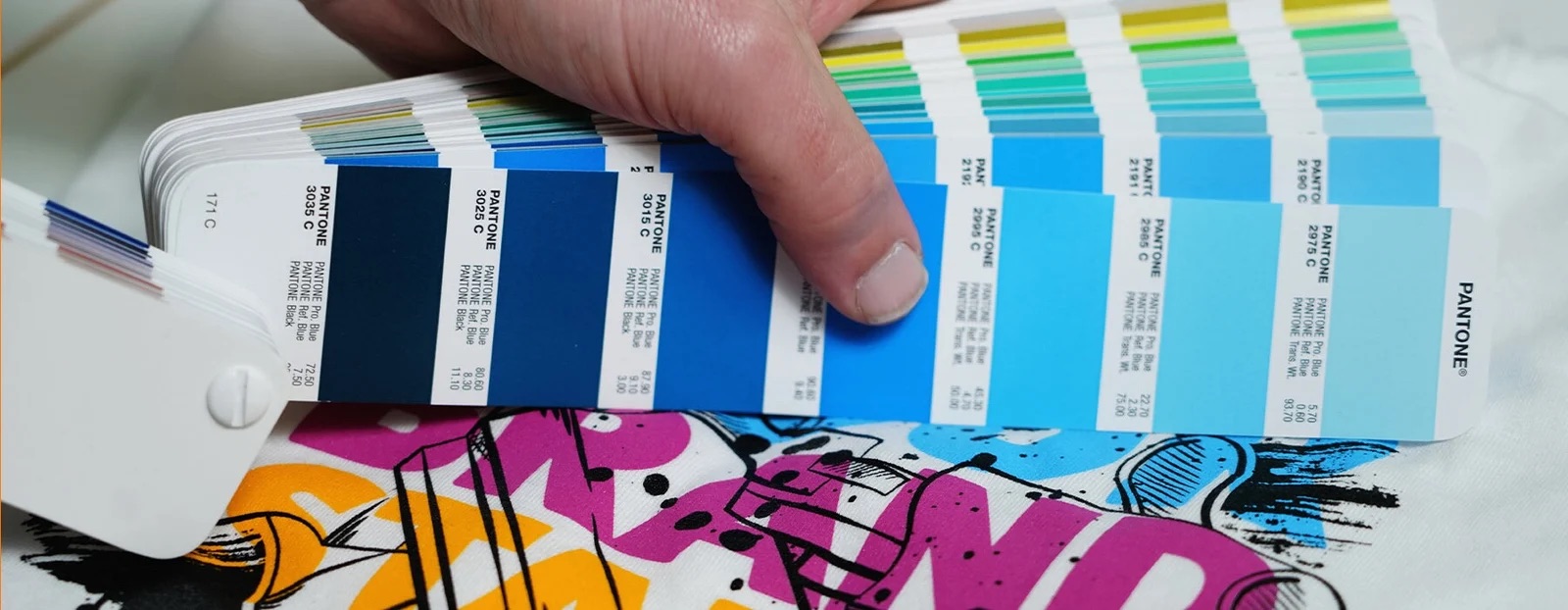
Matching spot colors – such as those from Pantone – remains one of the oldest and most frustrating challenges in digital printing.
While International Color Consortium (ICC) workflows excel at rendering photorealistic imagery, they struggle with precise spot color reproduction. The core issue lies in the double-transformation process: artwork moves from a design workspace (like sRGB) to a Profile Connection Space (like L*a*b*), and finally to the printer’s output profile (like CMYK). These cumulative transformations often introduce mathematical errors, frequently 3-4 ∆E, which is more than enough for the human eye to detect a clear mismatch.
Vector vs. Raster: The Named-Color Divide
To solve this, vector design applications like Adobe Illustrator and Adobe InDesign rely on a “named-color” workflow.
Historically, spot libraries were built directly into these tools. Today, designers access them via subscriptions like Pantone Connect. When saved in a container format that preserves named color metadata—such as PDF—and sent to a Raster Image Processor (RIP) with built-in L*a*b* lookup tables, the transformation error is cut in half. This produces the tight tolerances required by packaging and commercial print.
However, industries relying on raster (pixel-based) workflows don’t have this luxury:
- Fashion & Apparel: Designers traditionally rely on Adobe Photoshop or specialized CAD software, saving artwork as TIFF or JPEG files—neither of which natively supports embedded named-color structures.
- Direct-to-Garment (DTG) & Direct-to-Film (DTF): These rapidly growing sectors rely heavily on PNG files for native alpha-channel transparency, another format that lacks spot-color capability.
Additionally, the majority of people using inkjet printers are not using a RIP but rather the OEM-provided driver. So all of these people do not have access to a L*a*b* lookup table.
The Real-World Cost of Trial-and-Error
In fashion design, brand palettes are built on spectrally-defined standards from providers like Pantone, CSI, Archroma, or Coloro. Overseas production mills use precise dye formulas to match these standards on fabric. Back at headquarters, design teams use inkjet printers to evaluate seasonal palettes—yet they lack the automated lookup tools available to traditional packaging prepress operators.
As a result, designers often resort to manual trial-and-error color matching.
A designer might spend 20 to 30 minutes tweaking a single spot color by eye. Multiply that across a seasonal palette of 50 to 100 colors—or an enterprise library of over 1,000 standards—and hundreds of hours are lost to re-printing and visual checks. Worse, if a studio replaces its printer or switches paper stock, every single color must be rematched from scratch.
Automating the Raster Workflow
To eliminate this bottleneck, Spectraflow developed Spectraflow Match—a solution built specifically to bring automated color matching to raster workflows.
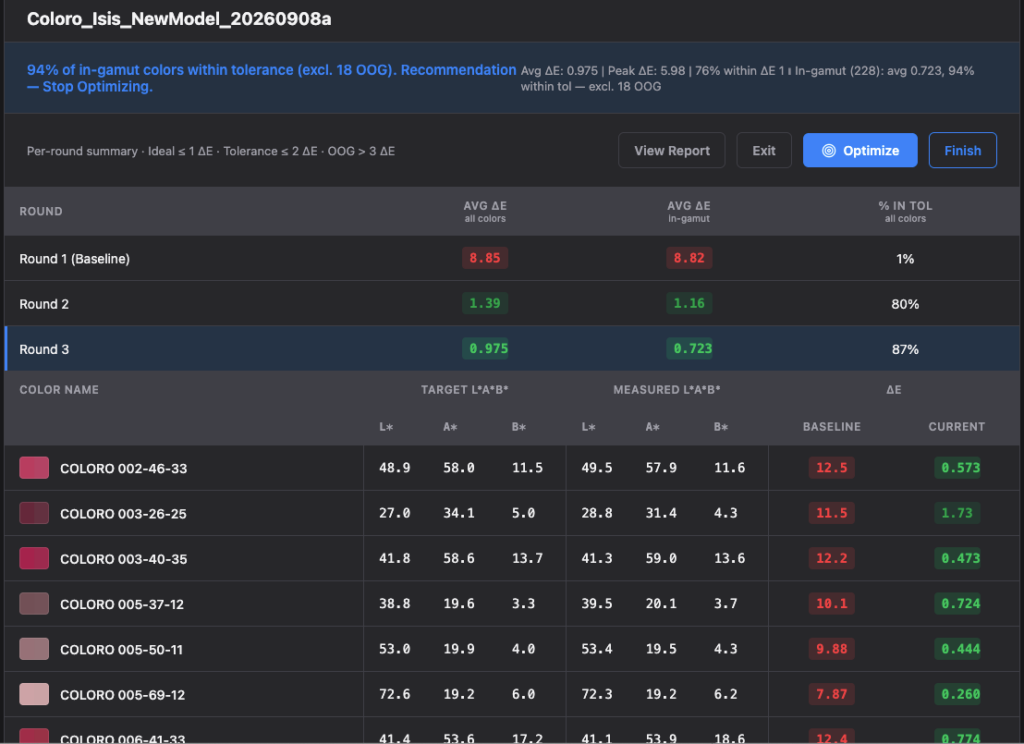
By pairing the software with a high-speed spectrophotometer like the X-Rite i1iSis 2, design teams can measure and match 1,000 spot colors in under two hours—a process that previously required roughly 330 hours of manual labor. Spectraflow Match also automatically identifies Out of Gamut (OOG) colors, eliminating the guesswork from difficult target matches.
Sprectraflow Match Optimization Summary
Beyond batch matching, Spectraflow Match includes several specialized productivity tools:
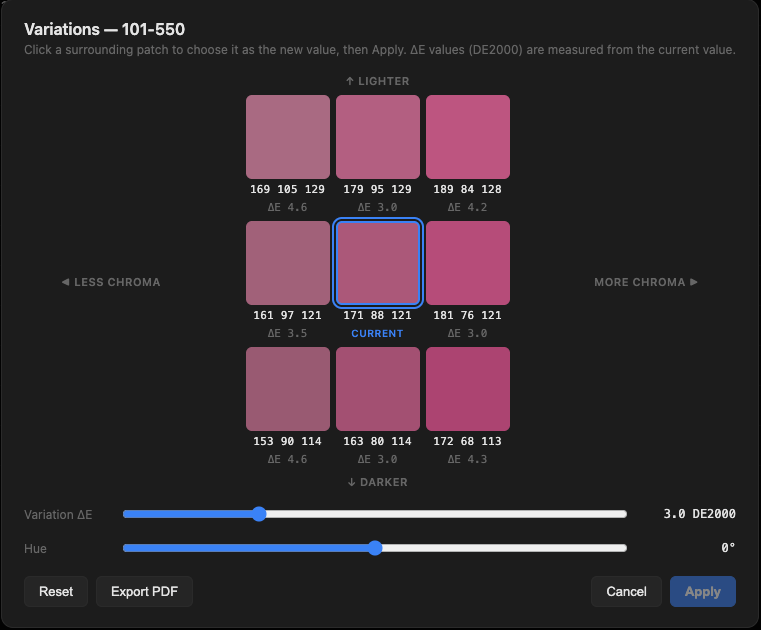
- The Variations Tool: Speeds up visual adjustments on-screen, making it especially valuable when tweaking Out of Gamut colors.
- The RGB Compare Tool: Allows users to input an arbitrary RGB value and instantly find the closest corresponding standard in a color library.
- The Index Image Tool: Ingests a raster image, indexes it against a target library of color standards, and exports a fully indexed file ready for production.
Variations Tool
For more information about Spectraflow Match or to request a free demo, email [email protected].
Spot Colors on Screen
If your spot colors are not matching on screen, the issue might be your monitor’s color accuracy. Even the best monitors shift their colors slightly over time, that’s why we / I recommend calibrating your screen once per month.
Fortunately, tools like the TruHu app present a quick, high-value way of checking your screen color accuracy and creating a new, calibrated profile in just a few minutes. Together, TruHu and Spectraflow Match are great additions to any color professional’s toolset.
Note: TruHu and Spectraflow were both founded by color entrepreneur Clark Omholt.