Last Updated on February 18, 2026 by Clark Omholt
TruHu, DataColor Spyder, and Calibrate are three of the leading measurement-based monitor calibration solutions. The purpose of this article is to try and spell out each tool’s strengths and weaknesses. All products have evolved/improved in recent years, and I will also try to point out recent changes.
To be fair, I cannot claim to be entirely unbiased, since my company makes TruHu. But on the other hand, I understand TruHu’s limitations as well as anyone and will point them out. I also have a fair amount of experience with a variety of display calibration products and this familiarity informed the design of TruHu.
Table of Contents
The Key Players
1. DataColor Spyder
The Spyder monitor calibrator was introduced by DataColor over 20 years ago, so it is a mature product. Improvements over time have been primarily focused on 1) adopting the device’s filters to suit an ever-increasing array of display technologies and color gamuts, and 2) improving speed.
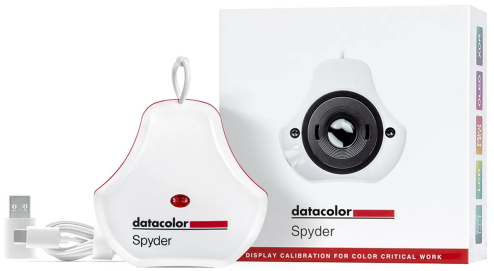
There are multiple versions of the Spyder currently available. They also offer various bundles that include a Colorchecker (SpyderCheckr 24 – looks similar to the GretagMacbeth Colorchecker) and printer profiling. This article will focus only on the monitor calibration products. These include:
- Spyder Express – $119
- Spyder (aka “Essential”) – $169
- SpyderPro – $269
2. Calibrite
Calibrite is a company that was created in 2021 to take over the marketing of X-Rite’s photo and video products like the i1 Display line of monitor calibrators. Just like the Spyder, The i1Display line of products goes back over 20 years and continues to be fueled by X-Rite’s color measurement technology.
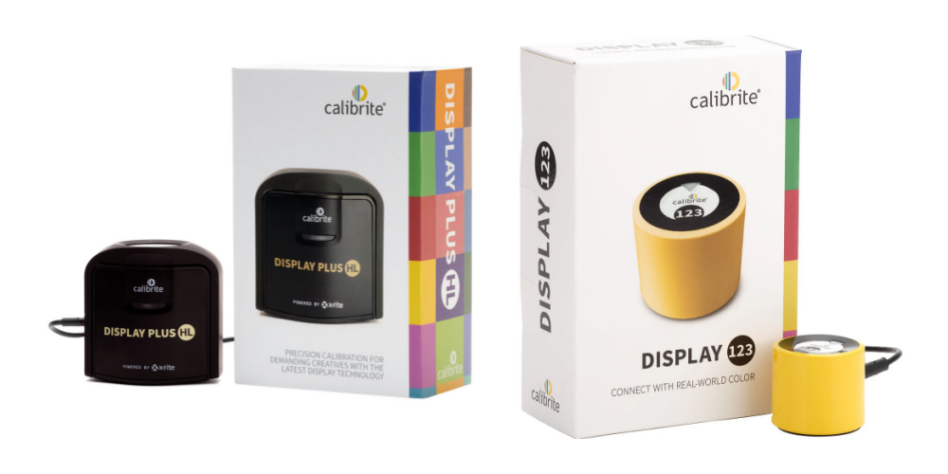
Like DataColor, Calibrite offers multiple flavors of their products.
- Display 123 – $119
- Display Pro HL – $279
- Display Plus HL – $339
3. TruHu
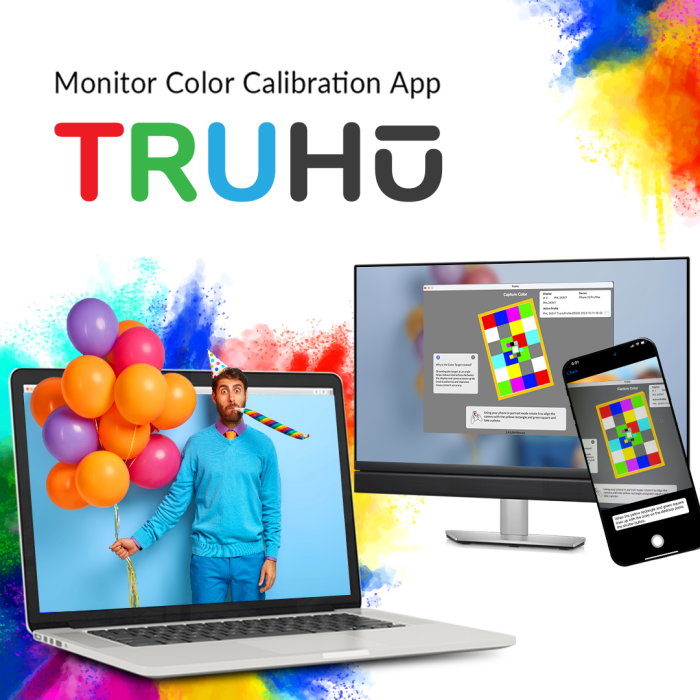
TruHu is a software-only combined iPhone and desktop (Mac/Win) application that uses the phone’s camera sensor as an alternative to a colorimeter for measurement purposes. TruHu launched initially on the Mac in 2023 and then added Windows about a year later.
There’s only one flavor of TruHu available with an annual subscription of $39.99.
Approach
There are, in essence, two approaches to monitor calibration – technical sophistication or KISS.
The initial audience for monitor calibration was photographers who were moving from the darkroom to the digital desktop. These were technically sophisticated people who worked in a darkened room and painted their walls gray. Thus, for many years, monitor calibrators were technically sophisticated and over time continued to add even more sophisticated features like Verification and Ambient Light adaption.
But as the world of people who cared about color on screen continued to grow, and became less technically sophisticated, it became apparent that these products were not meeting many of their users where they lived. The products were expensive ($200+), confusing (what’s my preferred luminance or gamma?) and time-consuming. So in recent years, providers have started offering less expensive, stripped down versions of their products for an audience looking for an easier solution – enter Spyder Express, Calibrite Display 123, and TruHu.
These three products will be compared in more detail in the remainder of this article. Where appropriate, I will also mention where DataColor and Calibrite’s higher end products fit in.
Display Calibration Tool Comparison Chart
| No. | Category | TruHu | Spyder | Spyder | Spyder | Calibrite | Calibrite | Calibrite |
|---|---|---|---|---|---|---|---|---|
| 0 | Model | TruHu | Express | (Essential) | Pro | Display 123 | Display Pro HL | Display Plus HL |
| 1 | Price | $39.99/yr | $119 | $169 | $269 | $119 | $279 | $339 |
| 2 | Sensor* | Phone Camera | Colorimeter | Colorimeter | Colorimeter | Colorimeter | Colorimeter+ | Colorimeter+ |
| 3 | Connectivity | Wifi | USB-A | USB-C | USB-C | USB-C | USB-C | USB-C |
| 4 | Speed | ~1 min | 1-2 | 2 | 3-10 min | 5 | 5 | 5-15 |
| 5 | Luminance | Visual | Measured | Measured | Measured | Measured | Measured | Measured |
| 6 | White Point Settings | 5 | 5 | Unlimited | Unlimited | 2 | Unlimited | Unlimited |
| 7 | Gamma Settings | 1 (2.2) | 5 | Unlimited | Unlimited | 2 | Unlimited | Unlimited |
| 8 | Max Lum (NITS) | ~500 | unknown | 750 | 2000 | 1000 | 3000 | 10000 |
| 9 | Ambient Light | No | No | Basic | Advanced | No | Yes | Yes |
| 10 | Verification | No | Yes | Yes | Yes | No | Yes | Yes |
| 11 | Max # of Monitors | Unlimited | 3 | Unlimited | Unlimited | 2 | 4 | 4 |
Feature Comparison | Spyder vs Calibrite vs TruHu
1. Cost
What’s most noticeable about cost is that Express and 123 are exactly the same price, and are a perpetual license, while TruHu is an annual subscription of $39.99. Thus, TruHu has the advantage of having a lower initial cost, and you don’t have to wait for someone to send you a colorimeter. Also, you can try it out at no cost prior to paying for a subscription.
Over three years, all products have about the same cost. And over additional years, the colorimeter-based solutions are actually less expensive on a per-year basis. But a colorimeter’s filters degrade over time, so it’s probably a good idea to replace it every three years.
Winner:
TruHu (by a hair, due to lower up front cost and ability to try for free)
2. Accuracy
While it is difficult to compare the accuracy of one colorimeter vs another, it might be fair to assume a colorimeter to be a more accurate measurement device than a phone’s sensor. TruHu contains a variety of lookup tables that take into account your iPhone’s sensor characteristics in combination with the kind of display backlight technology you are using, and this produces accuracy results similar to a colorimeter.
But the TruHu process can be more variable. For instance, if there is a lot of light falling on a display during the calibration process, or if the phone is held at an odd angle, that can compromise the measurements.
Also, Express and Display 123 measure more patches than TruHu. Our research has shown that most displays have pretty linear behavior and don’t require a lot of patches to be measured for a good calibration. But if your display is the exception, those additional measurements might prove useful.
Winner:
Spyder Express, Calibrite Display 123
3. Connectivity
Express and Display 123 connect via USB-C. TruHu connects via Wifi or even cellular. Finding a free port or a USB adaptor can be a bit of a hassle, so this gives TruHu an edge. Perhaps more importantly, you always have your iPhone with you, and that cannot be said of your colorimeter. On the other hand, the files TruHu uploads are not small (~13MB), and if you don’t have Wifi, it can take a while.
Also, if you do not own an iPhone you cannot currently use TruHu. TruHu for Android slated for release in 2026.
Winner:
TruHu (unless you own an Android device)
4. Speed
Historically, monitor calibration has taken a bit of time – 10-15 minutes. And this has proven a barrier for many busy people. The providers have been very aware of this, and have been working to speed up the process. TruHu has taken this to an extreme, and the entire calibration process takes about one minute. Express and Display 123 claim 2-5 minutes for calibration, so that’s a big improvement.
Winner:
TruHu (slightly)
5. Luminance
Historically, monitor calibrators ask the user to choose a preferred luminance, and default to 120 NITS, or Candelas/mt-sq, the ISO standard. The problem with this is that the ISO standard assumes a low level of ambient light in the room, which does not describe most people’s working environment. If people choose the default luminance, they often feel their display is “dull” and are disappointed with the results of their calibration.
TruHu avoids this problem by having the user choose a level of brightness for their working environment based upon their vision. But if you really want an ISO-specified luminance of 120 NITs, TruHu cannot help with this.
Display 123 has adapted to this problem by offering users just two luminance options – 1) 120 NITS or 2) Native – the current brightness of the Display, similar to TruHu.
Winner:
Spyder Express or Calibrite Display 123 (if you prefer measurement-based luminance)
6. White Point / Gamma
All monitor calibration programs default to a White Point of 6500K – this is true of Express, Display 123 and TruHu. This also happens to be the white point of the more popular RGB color spaces – including sRGB, AdobeRGB and Display RGB. If a user wants to change to a warmer or cooler white point, all programs offer this too. The more expensive options from DataColor and Calibrate will allow you to choose an arbitrary white point, in case you want to calibrate to 6376K for some reason.
Gamma is another potential point of confusion. Many users don’t understand what gamma they really want, and the default 2.2 meets most user’s needs. TruHu recognized this and removed an extra step (and choice) by hard wiring 2.2. Display 123 addresses this by offering the user only 2 choices. The other packages offer additional options. For instance, some video standards specify a more “contrasty gamma” of 2.4
Winner:
TruHu, Calibrite Display 123 (unless you want video’s 2.4)
7. Maximum Luminance
The emerging HDR standard is intended to improve the performance of monitors and TVs through improved contrast ratio and color range. One way this is accomplished is by increasing the maximum luminance of the monitor. True HDR monitors, like the Apple XDR displays, are intended to offer 1000+ NITS, and not all measurement devices can perform well at that luminance. This is why DataColor and Calibrite offer their more expensive packages that can measure at 1000+ NITS. If you are spending $5000 on an XDR display, you want to get a higher end monitor calibrator to match.
But the vast majority of people use displays running in the 100-300 NITs range, and don’t need this additional functionality.
Winner (<1000 NITs):
Tie between all solutions
Winner (1000+ NITs):
Spyder Pro, Calibrite Display Pro
8. Ambient Light
Some of the monitor calibration packages have an ambient light detector built into the sensor. You can leave it on your desktop, and if you invoke the ambient light compensation, the brightness of your display will change depending on the ambient light level in the room.
I’ve never actually seen anyone use this feature. It seems that if a cloud passes in front of the sun, it will cause the brightness to go down for a minute until it boosts up again after the cloud passes, which would be pretty distracting. It is my belief that the Ambient Light feature was a good idea in theory that doesn’t translate well in reality.
This feature would seem to appeal to only high end users, which explains why it is not available in Spyder Express, Display 123, or TruHu.
Winner:
Tie between all solutions (included only in high end packages)
9. Verification
This feature allows a colorimeter to measure a series of patches post-calibration and compare the measured values to the expected values. It has a bit in common with the Ambient Light feature in that it sounds better in theory than it has practical value. I have Verified quite a few times with colorimeter-based solutions, and it always passes, as would be expected. This feature is also not available in Spyder Express, Display 123, or TruHu.
Winner:
Tie between all solutions (included only in high end packages)
10. Maximum Number of Monitors
Some of the packages limit the number of monitors that can be calibrated by a single license/colorimeter. For instance, Express is limited to three monitors and Display 123 is limited to two monitors. TruHu and the Spyder Essential and Pro packages, by contrast, enable a user to calibrate an unlimited number of monitors. Since most users likely have just one or two color-critical monitors, this doesn’t seem like a big deal, but for some users it might present an advantage.
Winner:
TruHu
Summary: What’s the Best Display Calibration Tool?
It is my feeling that for the majority of users TruHu finds a nice balance between cost, ease of use, and color accuracy. It’s also nice that you can try it out for free and it doesn’t require acquiring an infrequently-used device that can be easily lost. (Believe me, I’ve seen that happen more than once!)
If you are a high end professional working with an expensive HDR display like the Apple XDR, then Datacolor’s Spyder Pro or Calibrate’s Display Pro/Plus is the right choice for you.
And if you’re looking for a middle ground, where the accuracy is consistently reliable but you don’t want to spend too much money, then the DataColor Spyder Express and CalibriteDisplay 123 are good choices. Of course, I would try out TruHu prior to plunking down the $119 on these options. 🙂