Last Updated on September 26, 2025 by Clark Omholt
Brightness and luminance are terms that are often used interchangeably, but in the world of monitor calibration they have distinct meanings. And there’s also the notion of Perceived Brightness, which I will address as well.
Brightness

Brightness is a setting on your monitor’s On Screen Display (OSD). With an external display, the OSD is usually found on the lower right corner of the unit, close to the power button. With a laptop, there is usually a brightness setting along the top of the keyboard. Brightness can also be controlled with more precision via slider in the System Settings / Displays (Mac) or System / Display (Win).
Luminance
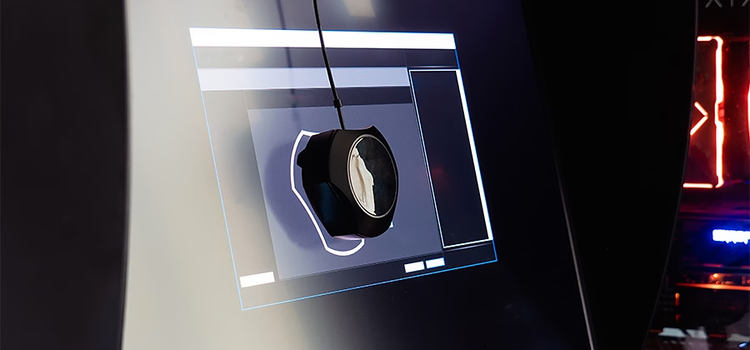
Luminance is a measurement of brightness performed by a measurement device such as a colorimeter or spectrophotometer. The units of luminance are Candelas/meter-squared or NITS, with typical values in the 100-300 NITS range.
Colormeter-based monitor calibration solutions have you specify a target luminance when you perform a calibration. The ISO standard that these solutions use as a default is 120 NITS. This standard attempts to achieve a good luminance-to-ambient light ratio in a dimly lit room.
Unfortunately, most users do NOT work in a dimly lit environment. If you use the default settings, the monitor will often look “dull”. In addition, modern displays can achieve much higher luminances, 250+ NITS, which is more suitable for a standard office environment.
Perceived Luminance or Contrast
Perceived Luminance, which can also be referred to as Perceived Contrast, addressed the relationship of the monitor’s luminance (NITS) and the ambient light in the room, measured in lux (lx). Generally, speaking a good contrast ratio is Luminance = ~2-3 * Ambient lux. So in a darkened room with ambient light at 50 lx, a luminance of 120 NITS is a good choice. Most working offices, however, have an ambient light in the 200 lx range. A luminance of 400-500 NITS would be ideal, but most displays don’t go that bright. Choosing something in the 250+ range in this environment is recommended.
In contrast to other monitor calibration solutions, TruHu trusts the user’s eyes to find the right monitor brightness setting to establish a good Perceived Contrast for their environment, rather than making a “one size fits all” assumption.
We then use the smartphone’s sensors to perform the grey balance, color temperature, and color accuracy part of the calibration, for which the eyes are not well-suited. We consider this to be the best of both worlds.